Screenshots


Description
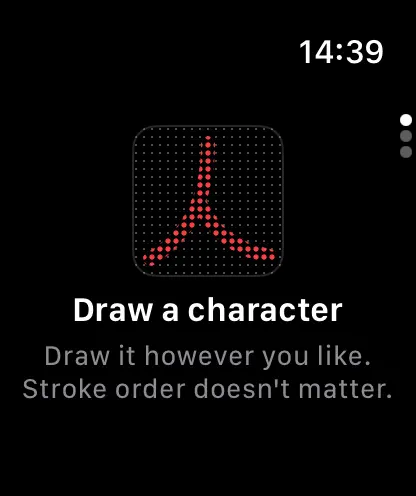
Look up any kanji in seconds, right from your wrist. Kanjure lets you draw a kanji on your Apple Watch and instantly see its readings and meanings. No phone required. Perfect for when you're reading, studying, or just curious about a character you've spotted. What makes Kanjure different The new version uses a machine learning approach that's never been done on watchOS before. The result: you can draw kanji however you want. Forgot the stroke order? Doesn't matter. Drew it in six strokes instead of eight? Still works. The recognition engine understands what you meant, not just what you drew perfectly. This is handwriting recognition that works the way your brain does—not the way a textbook says it should. Fast and focused Kanjure is built specifically for the Apple Watch. It's fast, lightweight, and designed for quick lookups when you need them. No subscriptions, no accounts, no unnecessary features. Draw. Recognize. Done.
Release Notes
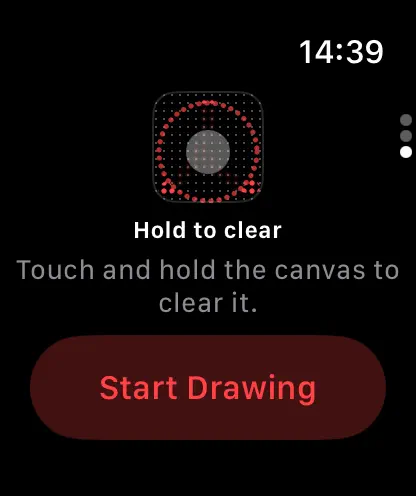
Kanjure 2.1 • Quick tutorial: a short tour on first launch shows how to draw, pick a result and start over. • Hold to clear: touch and hold the canvas to wipe it. A wave sweeps your strokes away, and if you let go early, they stay. • Easier picking: turning the Digital Crown now reliably moves through the results, and the selected kanji grows so it's easier to tap. • Much smaller: about a quarter of the previous size. • Refreshed About page.
• v2.1All release notes
App Details
| Size | 18.8 MB |
|---|---|
| Initial release | |
| Price | Free |
| Platforms | Apple Watch |
| Languages | English, French, German, and Spanish |
| Category | Reference |
| Compatibility | |
|---|---|
| iPhone | Requires iOS 15.0 or later. |
| Apple Watch | Requires watchOS 10.6 or later. |
More By This Developer
Similar Apps
App's data is regularly updated.
Last update: