Screenshots





Description
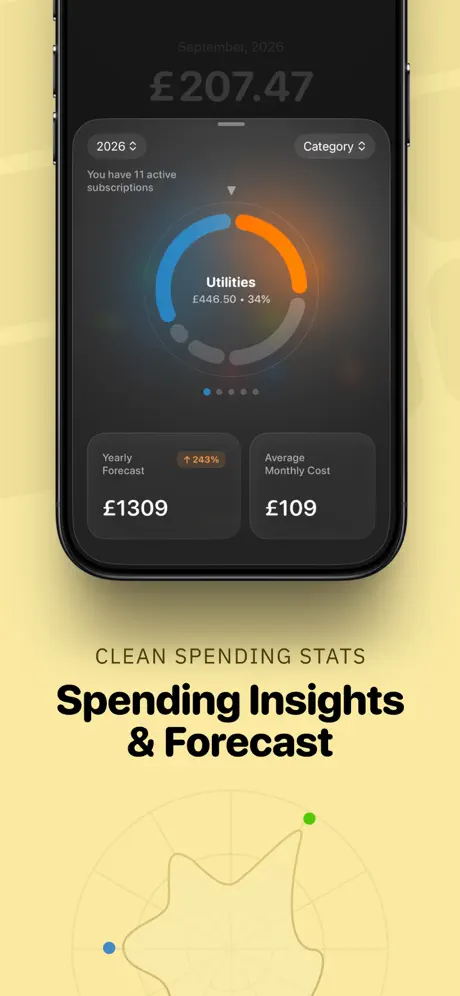
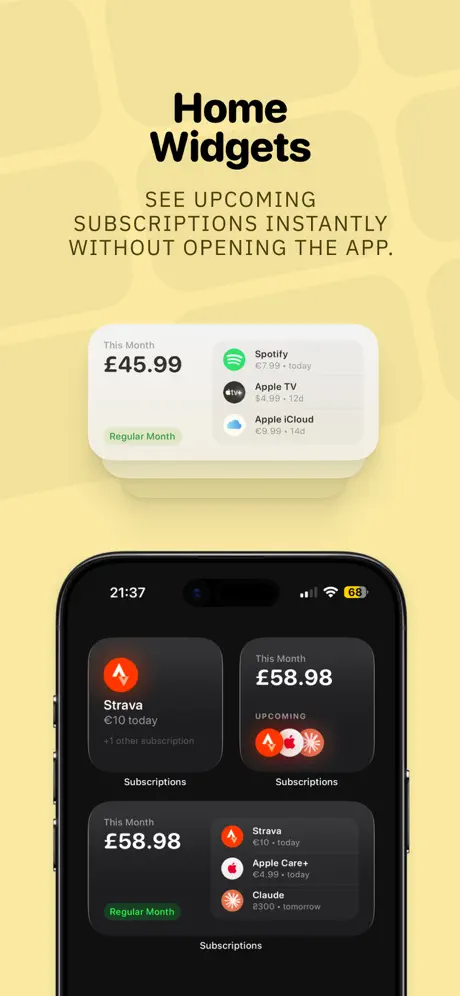
If you have so many subscriptions that you’ve lost track of them and hate unexpected charges, SubsDay is built exactly for this. SubsDay (Formerly Subscription Day) is a simple and powerful subscription calendar for iOS & Mac. No clutter. Only what really matters. • Visual Calendar: See the current month and all upcoming payments at a glance. • Widgets. Quickly check your most important subscription information right from your Home Screen. • Subscription Types: Supports monthly subscriptions, yearly plans, trial versions, one time purchases, and fully custom billing periods. • Smart Notifications: Set reminders so you never miss a charge or forget to cancel a trial. • Highlights: Easily flag important items like annual, trial, or one‑time payments. • Statistics and Insights: Get a clear overview of your projected yearly budget, average monthly costs, and peak spending months with a clean radial chart. • Personal/Work/Custom Lists: Separate subscriptions into Personal and Work lists and track budgets and statistics independently. • Custom own categories: Organize subscriptions using your own categories exactly the way you prefer. • Multi-Currency Support: Supports 150+ currencies with automatic conversion so everything is shown in your selected currency. • Status Management: Mark subscriptions as active or canceled and keep your statistics always accurate. • Quick Addition: Start typing a service name and get automatic suggestions including logo, category, and color. You can also choose emojis or symbols for custom avatars. • Smart Import Manager: Import subscriptions in one click from Notion, Google Sheets, or from any text file in any structure. You can also import directly from the App Store by recognizing subscriptions from screenshots. • Generate period based PDF reports for accountants and employers & export your data • iCloud Sync: Your subscriptions stay in sync across all your devices. • iPad Support. Important note: SubsDay does not automatically detect or fetch your subscriptions. You add them manually or use the smart import manager to bring in existing subscription lists from your documents and tools. SubsDay is constantly evolving. We actively listen to user feedback and would love to hear your ideas via email. Have a great day.
Release Notes
• Added iPhone Duo support. • Added a new subscription list right below the calendar. • Fixed an issue with renaming categories. • Fixed a time zone bug that caused incorrect calendar dates in some countries. • Optimized the Add Subscription screen for smoother performance. • Multiple UI fixes and improvements. Also, say hello to our new app name, SubsDay! I hope you enjoy the update and share your feedback. I read every single email you send me
• v1.1.5All release notes
App Details
| Size | 21 MB |
|---|---|
| Initial release | |
| Price | |
| Platforms | Mac, iPhone, and iPad |
| Languages | English, French, German, Italian, Japanese, Korean, Chinese, Spanish, and Ukrainian |
| Category | Finance |
| Compatibility | |
|---|---|
| iPhone | Requires iOS 17.0 or later. |
| iPad | Requires iPadOS 17.0 or later. |
| Mac | Requires macOS 14.0 or later. |
| Apple Vision | Requires visionOS 1.0 or later. |
More By This Developer


Similar Apps
App's data is regularly updated.
Last update: