
Screenshots





Description
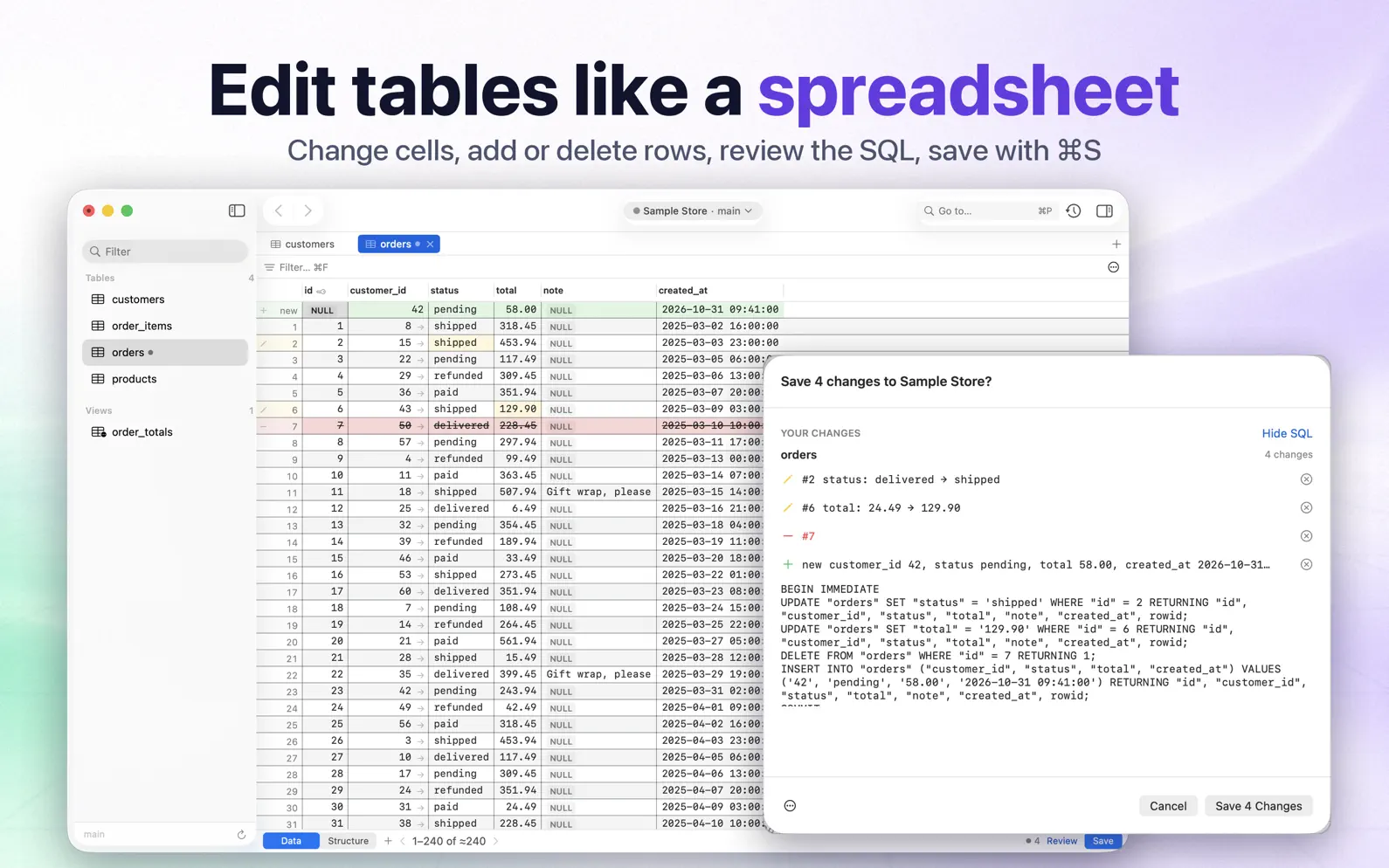
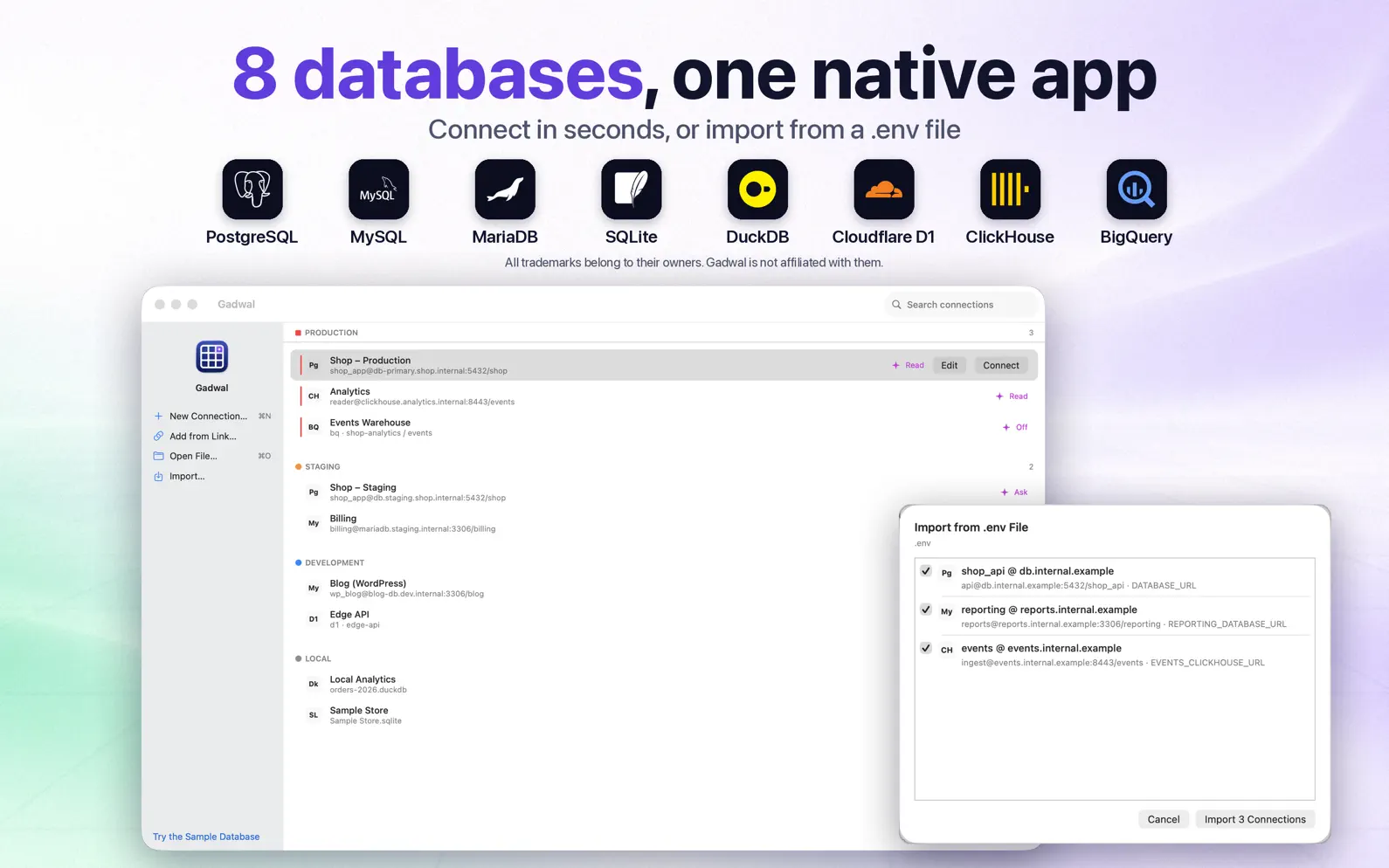
Edit your database like a spreadsheet, and let your AI apps help without handing them the keys. Gadwal is a native Mac client for Postgres, MySQL, MariaDB, SQLite, DuckDB, Cloudflare D1, ClickHouse and BigQuery. Change cells, review the exact SQL, press ⌘S. Nothing is written until you do. Its built-in MCP server lets the AI apps you already use (Claude Desktop, Claude Code, Codex, Cursor, VS Code) read your data and propose changes. Proposed changes don't run. They wait in a Review list with the exact SQL, and you approve or reject each one. No API keys to paste into Gadwal. TABLE EDITOR • Browse, filter and sort tables with millions of rows without loading them all into memory • Edit cells, insert and delete rows; every change is marked until you save • Review Changes shows the SQL that will run before you commit • Structure view for columns, indexes and foreign keys • Follow a foreign key to the row it points at • Export to CSV, JSON or SQL; import CSV SQL EDITOR • Syntax highlighting and completion for tables and columns • Query history and saved queries • Run one statement or the whole script; results open in the same grid • BigQuery queries show the bytes they will process before they run AI THAT ASKS FIRST • The MCP server is off until you turn it on, and it only listens on this Mac (127.0.0.1) • Set an AI level per connection: Off, Read-only, Ask before write, or Full • Production connections start as Read-only • Hide columns from AI, such as passwords and tokens; they're removed before results leave the app • Destructive changes (DROP, TRUNCATE, DELETE without WHERE) always need your approval and, where the engine supports it, take a backup first • Every AI request is logged, with the client, the SQL and what you decided • One-click setup for Claude Desktop, Cursor and VS Code; copy-ready commands for Claude Code and Codex SAFE FOR PRODUCTION • Color-coded environments (Local, Dev, Staging, Production) so you always know where you are • Safe mode asks before risky queries run on production connections BACKUP AND RESTORE • Back Up Now saves a connection to any folder you choose, including a folder in iCloud Drive • Each backup keeps every table's structure and rows, compressed, with a manifest of row counts and checksums • Restore the tables you pick; Gadwal backs them up first, so a restore can be undone • Works with every engine above except BigQuery, which keeps its own 7-day time travel WORDPRESS MODE • Detects WordPress tables, including custom prefixes and multisite • Reads and edits PHP-serialized values • Search & replace a domain across the database with a dry run first, so serialized data stays valid CONNECTIONS • SSH tunnels with password or key, TLS with your own CA certificate • Passwords and tokens are kept in your Mac's Keychain • Import saved connections from another database app or a .env file PRIVATE BY DESIGN • No account, no sign-in, no analytics, no telemetry • Gadwal talks only to the databases and cloud APIs you set up TRY IT FREE FOR 14 DAYS Start a 14-day free trial with every feature unlocked. After the trial, Gadwal keeps working with 2 saved connections, 2 tabs and 1 window. A one-time lifetime unlock removes those limits and turns on the AI tools and backups. No subscription. Questions or a bug? Write to us from gadwal.dev/support.
Release Notes
No release notes found
App Details
| Size | 37.5 MB |
|---|---|
| Initial release | |
| Price | |
| Platforms | Mac |
| Languages | English |
| Category | Developer Tools |
| Website | gadwal.dev |
| Compatibility | |
|---|---|
| Mac | Requires macOS 15.0 or later. |
Similar Apps




App's data is regularly updated.
Last update: