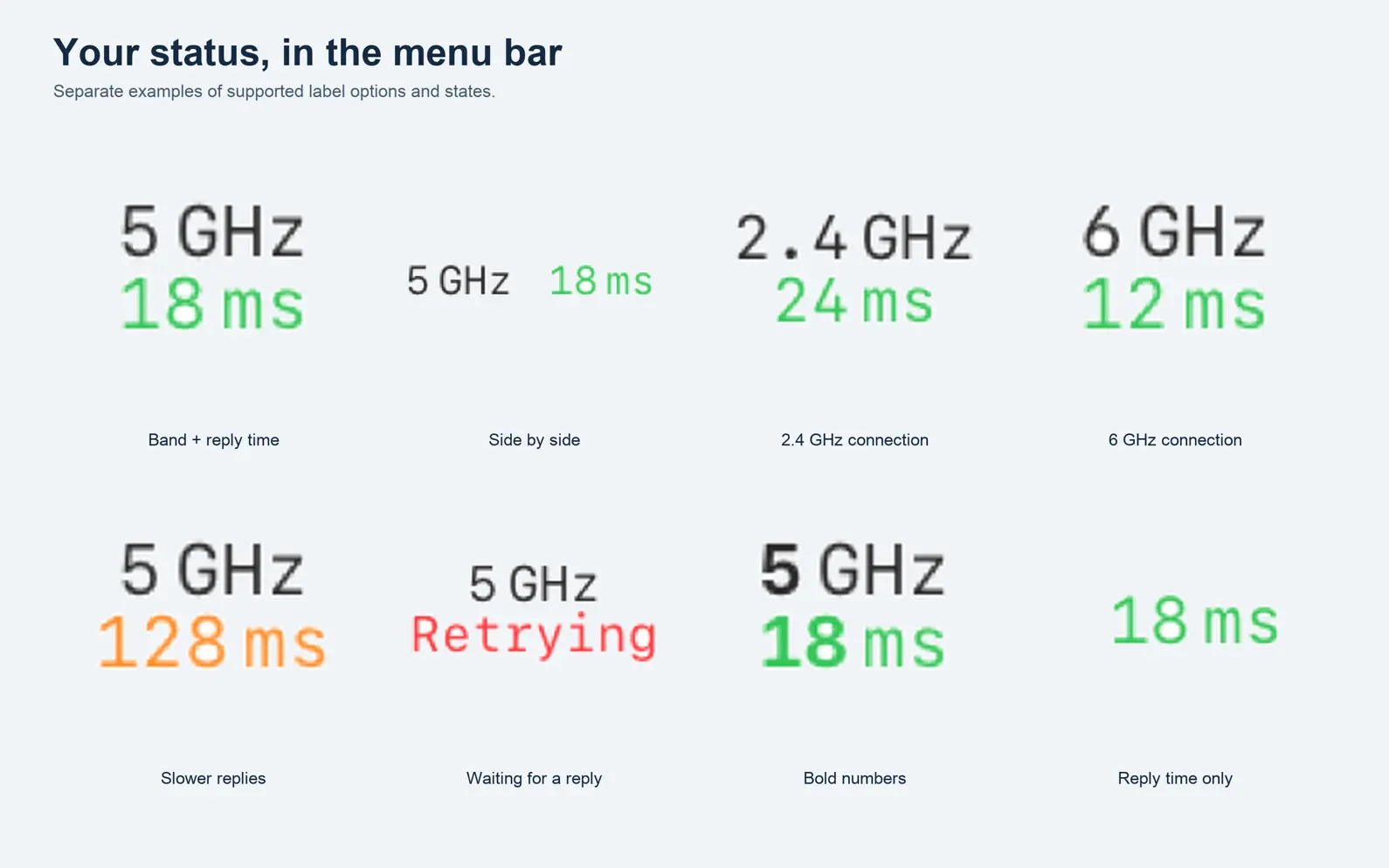
Screenshots
Description
Connection playing up? Check it on your iPhone or iPad. No Mac needed. All features are free. No subscriptions or paid upgrades. Optional tips simply support Monlet. CHECK YOUR CONNECTION Check your router, internet connection or custom targets. See ping replies and graphs, run DNS and HTTPS checks, and read plain-language explanations of detected problems. Local checks run in the foreground and stop when you leave the app. COMPARE ROOMS Use Room Walk to compare latency, jitter and packet loss around your home. It does not measure Wi-Fi signal strength. Save sessions and revisit graphs and results in History. DIG DEEPER Discover local devices and use tools for DNS, traceroute, ports and Bonjour. Test download speed and lag when you need a closer look. GET MAC ALERTS WHILE AWAY Receive alerts from Monlet for Mac through iCloud, even with the iPhone or iPad app closed. Use the same Apple Account, keep Monlet running on the Mac with iCloud alerts enabled, and allow notifications on your iPhone or iPad. No pairing needed. Disk-space alerts stay on the Mac. OPEN YOUR MAC'S LIVE PANEL Separately, pair with a Mac your device can reach to see live status, diagnosis and requested History. If you grant full control on the Mac, you can pause checks, snooze alerts and change the main target. No Monlet account, ads or analytics.
Release Notes
App Details
| Size | 55 MB |
|---|---|
| Initial release | |
| Price | |
| Platforms | Mac, iPhone, and iPad |
| Languages | English |
| Category | Utilities |
| Compatibility | |
|---|---|
| iPhone | Requires iOS 27.0 or later. |
| iPad | Requires iPadOS 27.0 or later. |
| Mac | Requires macOS 27.0 or later and a Mac with Apple M1 chip or later. |
| Apple Vision | Requires visionOS 27.0 or later. |
More By This Developer
Similar Apps
App's data is regularly updated.
Last update: