
Screenshots



Description
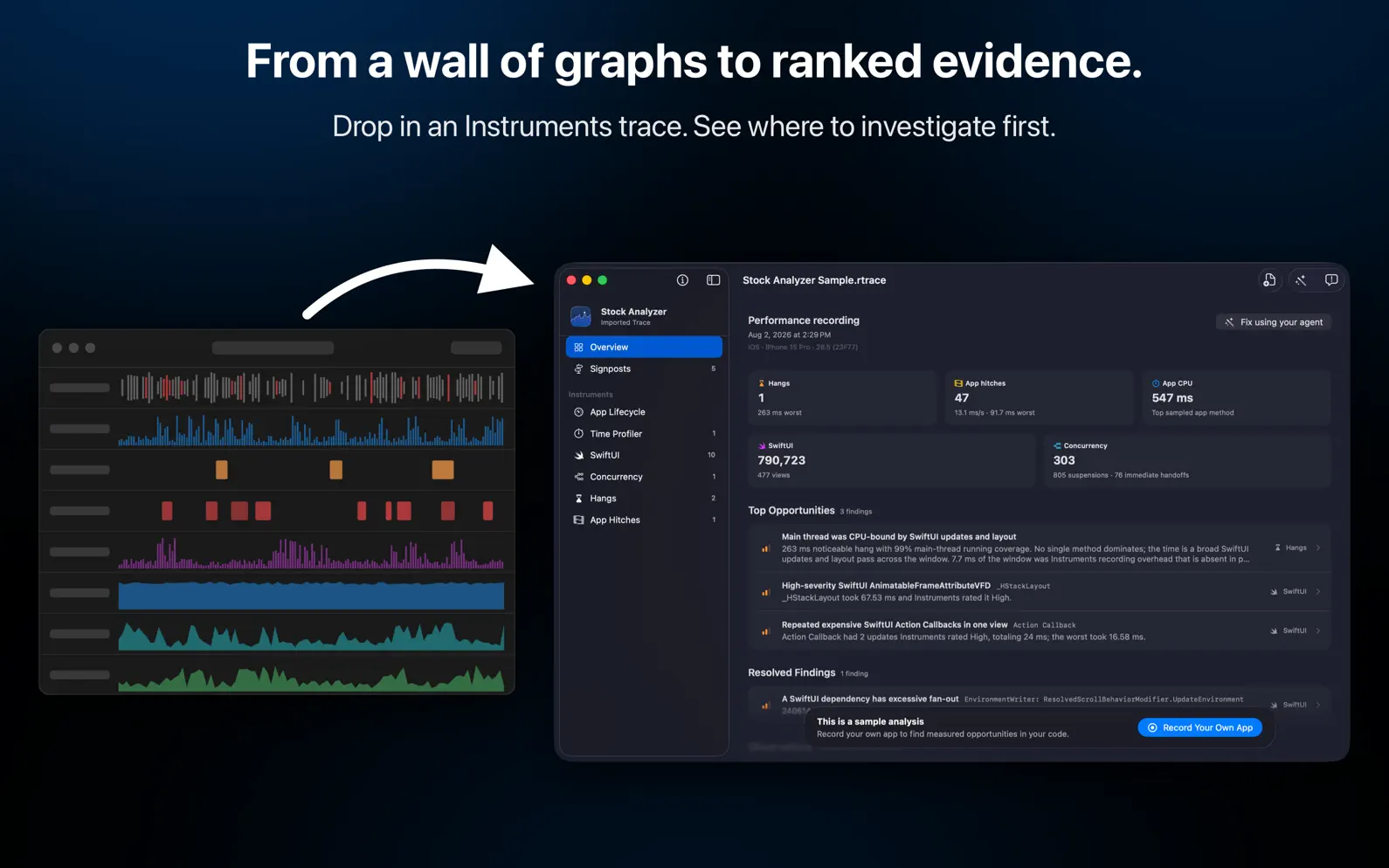
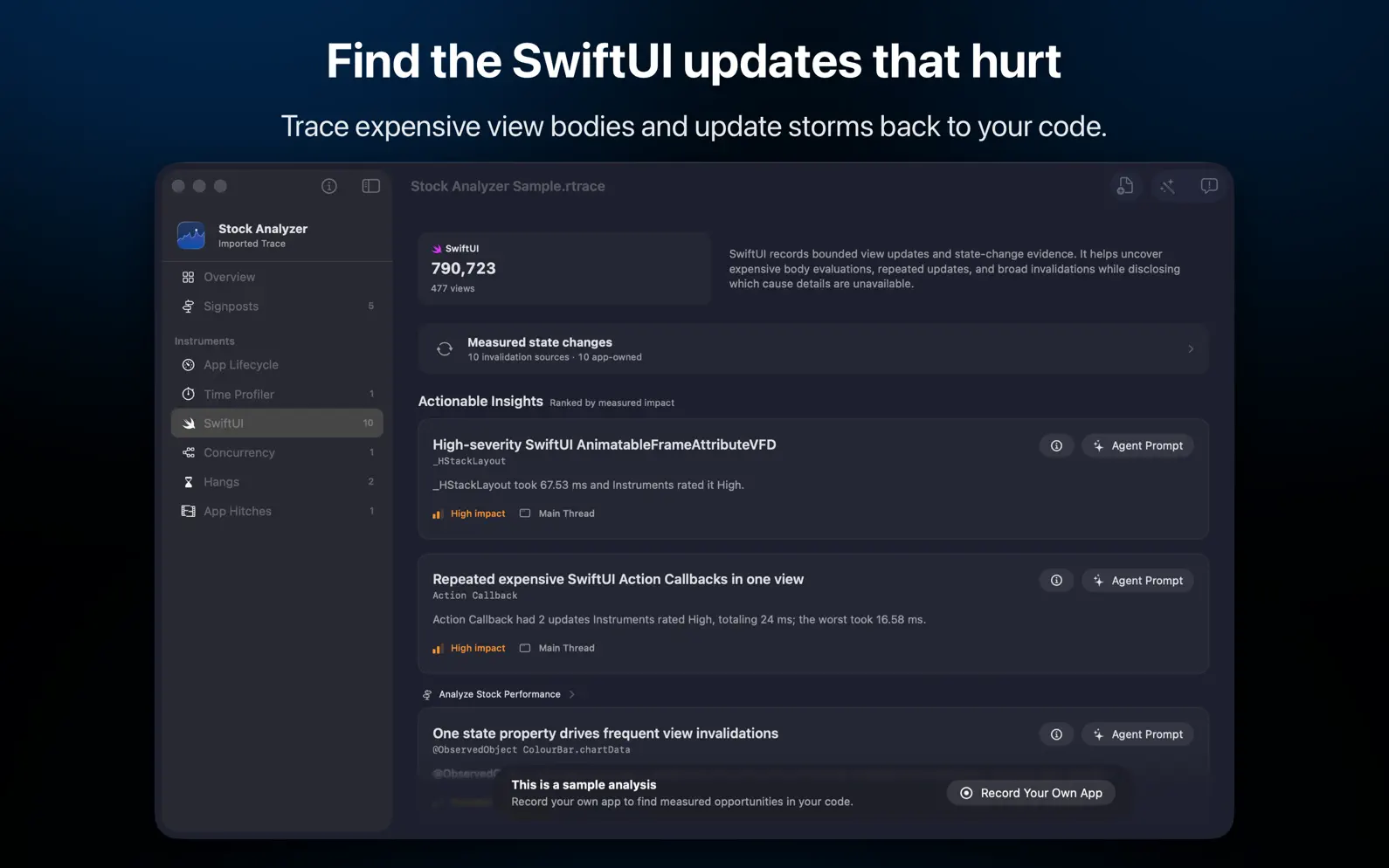
Find the performance work that matters. RocketTrace turns dense Xcode Instruments recordings into a focused, ranked list of evidence-based findings. See measured impact first, inspect the supporting trace evidence, and carry each opportunity into your coding workflow with a self-contained investigation prompt. FEWER TOKENS, MORE FINDINGS In our published benchmark, two leading AI coding models investigated the same Instruments recording, which contained 20 planted performance issues. With RocketTrace they used about 6x fewer tokens, finished about 2x sooner (including RocketTrace's import and analysis time), and found 7 to 8 more of the 20 issues than with raw Instruments exports. One recording, one app, three runs per model: your results will vary. Method and limits: https://rockettrace.app/blog/agent-trace-benchmark/ PROFILE A REPEATABLE SCENARIO Record a supported macOS app from a recent Xcode build, or import a compatible Instruments .trace bundle recorded for a macOS, iOS, or iPadOS app. FOCUS ON ACTIONABLE EVIDENCE RocketTrace analyzes Time Profiler, hangs, animation hitches, Swift Concurrency, and SwiftUI data. Findings include measured duration, frequency, execution context, and representative app-code frames where available. WORK WITH YOUR CODING AGENT Copy an individual finding as an investigation prompt or export structured results for your preferred coding agent. Prompts preserve the evidence and require code-level verification instead of guessing at a fix. VERIFY THE RESULT Record a comparable candidate trace after making a change. RocketTrace shows before-and-after metric and finding deltas so you can check whether the measured behavior actually improved. PRIVATE BY DESIGN Trace parsing and analysis happen locally on your Mac using your selected Xcode installation. Trace files, symbols, source paths, app names, and investigation prompts are not uploaded or included in product analytics. RocketTrace requires macOS 26 and Xcode 27 or newer. Check out our other app, RocketSim, as well. It enhances the Xcode Simulator with capture, networking, build insights, and quick actions right beside the Simulator. Xcode® is a trademark of Apple Inc., registered in the U.S. and other countries. Terms of use: https://rockettrace.app/terms/ Privacy Policy: https://rockettrace.app/privacy/
Release Notes
New: • Record on a connected iPhone or iPad from the rockettrace CLI with --device. • With Xcode 27.2, hang and hitch findings include the long SwiftUI updates Instruments tied to each event. Reanalyze saved results to refresh them. • New findings flag SwiftUI views whose body time is mostly inside one member, and view initializers that run again well after launch. • CPU hotspots that several callers reach now list those callers with their share of the time. • Choose how much raw trace storage to keep in Settings: 5, 10, 20, 50 GB or no limit. • Settings has a new Builds section for Developer folder access and the folder your Profile builds come from. • Agents get results calltree and results swiftui-updates for drill-down, and results get --format compact for shorter output. Improved: • The Overview spotlights your top opportunities. Tap More findings for the rest. • Finding cards lead with a plain summary and a copyable suspected method. • Related SwiftUI insights for one view are grouped into a single card. • Hang insights list the app code on the main thread during the freeze. • Insights can name an app value type that SwiftUI spends time comparing and copying, and spot views that are created again and again. • Adding runs from an Instruments trace shows progress, can be cancelled, and keeps your Mac awake. • Choosing a custom skills folder for the Agent Skill is clearer, and the folder follows if you move it. Fixed: • Long recordings, especially from a physical device, no longer fail with "Instruments did not finish saving the trace". RocketTrace only gives up when a save truly stalls. • Progress and time left are steadier while saving and analyzing, with no timer counting up. • Simulator recordings continue when macOS cannot open the Simulator window. • Importing a trace that is missing its run data now explains what to do. • Imported iPhone and iPad traces show the correct platform. • When only one device fits the selected build, it is chosen automatically. • Renamed Simulators are no longer rejected as the wrong device. • Old traces are cleaned up automatically, and their real size now counts toward the storage limit. • The "not enough disk space" error is accurate and names the volume. • Starting a recording no longer fails when Xcode's recording options load slowly. • A hang and the run-loop stall for the same freeze are reported as one insight. • The build list no longer shows "2,025 years ago" for a failed build.
• v1.4.0All release notes
App Details
| Size | 21.9 MB |
|---|---|
| Initial release | |
| Price | |
| Platforms | Mac |
| Languages | English |
| Category | Developer Tools |
| Website | rockettrace.app |
| Compatibility | |
|---|---|
| Mac | Requires macOS 26.0 or later. |
More By This Developer


Similar Apps

Kickstart - App Accelerator
ASO for App Store Connect

Mobile Builds
Track of your CI workflows
SkillKeeper
Analyze and fine-tune your AI coding setup

Toolbox Pro for Shortcuts
Powerful new automation tools

FunnelHound: App Sales & ASO
Connect Analytics & Reports

XCRunway for Xcode Cloud
Run, monitor, inspect builds
App's data is regularly updated.
Last update: