Screenshots




Description
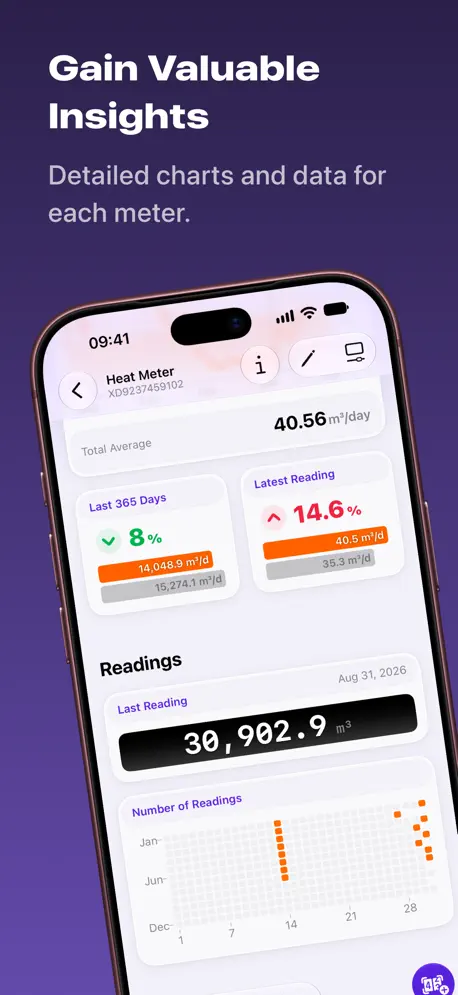
Introducing the ultimate app for keeping track of your energy, heating, and water usage! With MeterStats, you can easily monitor your meter readings and gain valuable insights into your consumption patterns. But the app is more than just a simple tracking tool. Keep an eye on ”special events” – such as turning down your thermostat by 1°C, buying smart home appliances or being in the home office – and see how much of an impact it has on your consumption over time. This way, you can make informed decisions about how to reduce your energy use without sacrificing comfort. With MeterStats, you’ll have all the tools you need to save money, reduce your carbon footprint, and make your home more energy-efficient. Start taking control of your energy usage now! Key Features: 1. Energy consumption tracking through manual meter readings. 2. Rich insights in the form of different charts and trends analysis. 3. Track special events to test the impact of certain actions on your energy use. 4. Track multiple homes/locations. Each has its own meters, special events and resulting insights. 5. Sync your data via iCloud between iPhone and iPad. The app is free to use with one meter and one location. Unlimited meters and locations as well as unlocking additional charts, more advanced insights and reminders requires a subscription to MeterStats+. –––––––––– Terms of Use: https://www.pxlwaves.com/terms/ Privacy Policy: https://www.pxlwaves.com/privacy/
Release Notes
• Full support for iPhone Duo • New settings view showing how to interact with Siri • New button in settings to show the what’s new view • Minor design tweaks and bug fixes
• v2.2.1All release notes
App Details
| Size | 13.3 MB |
|---|---|
| Initial release | |
| Price | |
| Platforms | iPhone and iPad |
| Languages | English and German |
| Category | Lifestyle |
| Website | pxlwaves.com |
| Compatibility | |
|---|---|
| iPhone | Requires iOS 26.4 or later. |
| iPad | Requires iPadOS 26.4 or later. |
| Mac | Requires macOS 26.4 or later and a Mac with Apple M1 chip or later. |
| Apple Vision | Requires visionOS 26.4 or later. |
More By This Developer

Similar Apps
App's data is regularly updated.
Last update: