Screenshots
Description
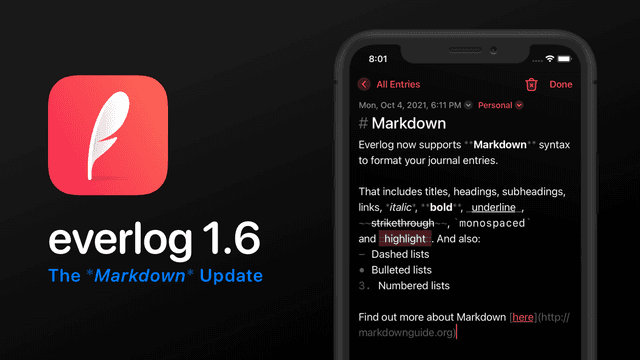
Everlog is a beautifully minimal daily journal designed to help you slow down and reflect. Whether you’re tracking your thoughts, documenting moments, or building a habit of mindfulness, Everlog makes it effortless to keep a daily journal that brings clarity to your life. Stay Focused Everlog removes distractions so you can focus on what matters: your thoughts. Just open the app, tap the quill, and start writing. Build a Daily Habit With journaling suggestions, widgets, and an elegant calendar view, Everlog gently encourages you to make writing in your daily journal a consistent and rewarding ritual. Remember More Add photos and videos to bring your entries to life. Whether it’s a memory, a mood, or a milestone, your daily journal becomes a vivid archive you’ll want to revisit. Reflect and Grow Use comments to revisit past entries and add new insights. A powerful way to turn your daily journal into a space for reflection and personal growth. Private and Secure Your thoughts stay yours. Lock your daily journal with a passcode and sync seamlessly across devices with iCloud (Premium required). Designed for Everyday Use • Unlimited journals (Premium) • Tags, bookmarks, and full search • Dark mode for night journaling • Fast Markdown editing Whether you’re starting your first daily journal or looking for a better way to keep one, Everlog makes it simple to stay present and connected with yourself—every day. — Privacy Policy: https://everlog.app/privacy Terms of Use: https://everlog.app/terms
Release Notes
App Details
| Size | 219.4 MB |
|---|---|
| Initial release | |
| Price | |
| Platforms | Mac, iPhone, Apple Vision, and iPad |
| Languages | Dutch, English, French, German, Italian, Japanese, Korean, Portuguese, and 3 more |
| Category | Lifestyle |
| Website | everlog.app |
| Compatibility | |
|---|---|
| iPhone | Requires iOS 15.6 or later. |
| iPad | Requires iPadOS 15.6 or later. |
| Mac | Requires macOS 12.5 or later. |
| Apple Vision | Requires visionOS 1.0 or later. |
More By This Developer
App's data is regularly updated.
Last update: