Screenshots


Description
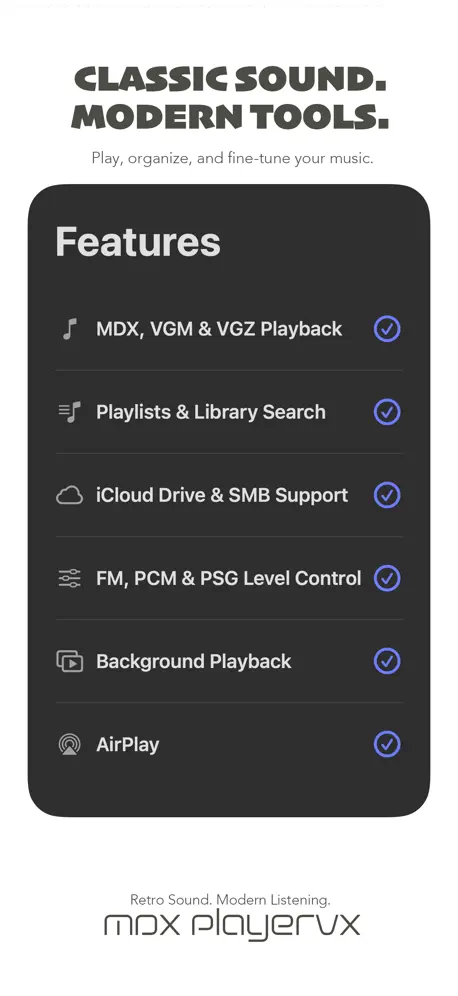
Retro sound. Modern listening. MDX PlayerVX is an iPhone music player for your MDX, VGM, and VGZ collection. Enjoy your own MDX creations and favorite chip music while watching the sound chips come to life. YOUR MUSIC, YOUR LIBRARY Open music folders on your iPhone, in iCloud Drive, or on a NAS or other SMB server. Browse playback history and recently added folders, or search your selected library. Music stored in the app's MDX PlayerVX folder in iCloud Drive is also available on another iPhone using the same Apple Account once files have synced. SEE THE SOUND Follow FM pitches, PCM activity, channel levels, and the spectrum as your music plays. Available visualizations depend on the sound chips used by each file. LISTEN YOUR WAY - Create and reorder playlists. - Manage the playback queue and shuffle tracks. - Set the number of in-track loops. - Adjust FM, PCM, and PSG levels for supported sound chips. - Keep listening in the background. - Output audio to AirPlay-compatible devices. BRING YOUR OWN FILES MDX PlayerVX is a player, not a music distribution service. Please supply files you have the right to use. MDX and VGM test files are included and can be saved from Settings for a quick playback check. For MDX files that reference PDX samples, keep the matching PDX in the same folder. VGM and VGZ playback depends on the sound chips and commands used by each file. Playlists, playback history, and app settings are stored per device and do not sync between devices. iCloud Drive and SMB require configuration of the relevant storage service and may use a network connection. No ads, in-app purchases, or subscriptions.
Release Notes
No release notes found
App Details
Similar Apps

App's data is regularly updated.
Last update: