Screenshots



Description
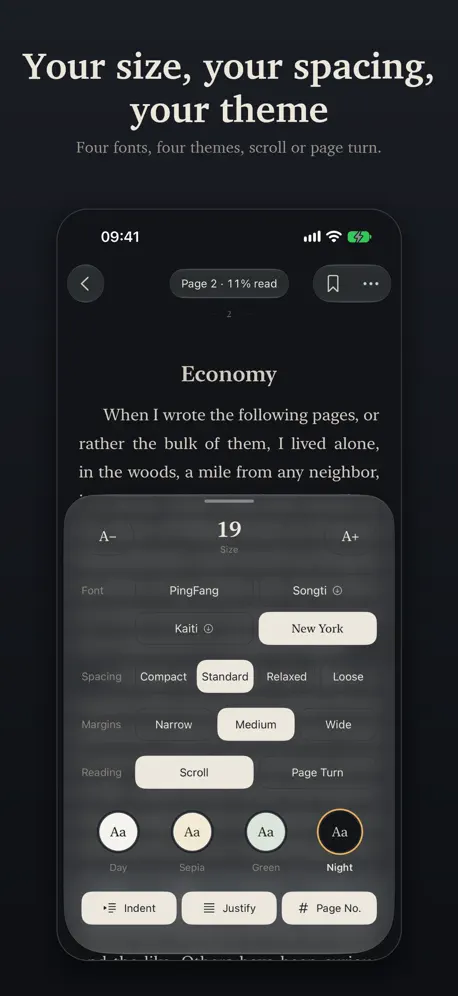
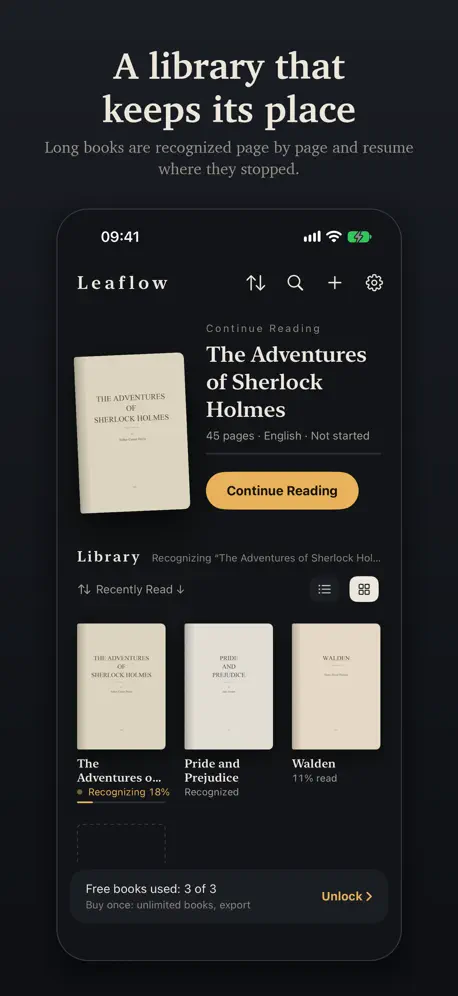
Scanned PDFs are hard to read on a phone. You zoom in, drag left and right, and lose your place. Leaflow turns the scan into real text: it recognizes every page on your device, drops the running headers, footers, and page numbers, rejoins paragraphs that break across pages, and lays the book out again to fit your screen. READ IT YOUR WAY • Adjust text size, line spacing, margins, and font • Light, dark, and other reading themes • Turn pages or scroll; two-page spreads on larger screens • Headings become a table of contents, and you can search the full text THE ORIGINAL PAGE IS ALWAYS THERE • Switch to the scanned page at any time, right where you are in the text • Invert the page or darken faint print so scans are easy on the eyes at night • Tables and figures are kept as they appear in the original EVERYTHING STAYS ON YOUR DEVICE • Text recognition runs on your iPhone or iPad with Apple Vision • No internet connection, no account, no data collected • Long books are processed page by page; if you leave, recognition picks up where it stopped ORGANIZE AND EXPORT • Groups and sorting for your library, plus bookmarks and reading progress • Fix recognition mistakes yourself and delete pages you don't need • Export to TXT or EPUB (Full Version) • Import EPUB files too PRICING Read 3 books in full for free. A one-time purchase unlocks unlimited books and export. No subscription. Leaflow recognizes horizontal text in Simplified Chinese, Traditional Chinese, and English. Vertical text and math formulas are not supported.
Release Notes
· Highlights: select text to highlight it, change its color and style, and find all highlights in the Contents list · Export highlights grouped by chapter as TXT, EPUB, or Markdown (Full Version) · Re-recognize a paragraph: fix one badly recognized paragraph without redoing the whole page · The free version now keeps up to 3 books on your shelf at a time — delete one to import another
• v1.0.1All release notes
App Details
| Size | 14.6 MB |
|---|---|
| Initial release | |
| Price | |
| Platforms | iPhone and iPad |
| Languages | English, Chinese, and Chinese |
| Category | Productivity |
| Website | davidshawa.github.io/leaflow-site/en |
| Compatibility | |
|---|---|
| iPhone | Requires iOS 17.0 or later. |
| iPad | Requires iPadOS 17.0 or later. |
| Mac | Requires macOS 14.0 or later and a Mac with Apple M1 chip or later. |
| Apple Vision | Requires visionOS 1.0 or later. |
Similar Apps

PDF Eye: Scanner & Editor
Scan, OCR, edit & sign PDFs

QuickScan:PDF OCR Text Scanner
Scan,Doc,Sign,Edit,Privacy
Text reader dyslexia, Scandys
Scan, adjust spacing & font
Documents & PDF Scanner - Fyle
Scan Receipts, OCR & Organize

Scan it: Quick scanner
No subscription. Export to PDF
PDFify - PDF OCR tools & more
PDF files quickly searchable
App's data is regularly updated.
Last update: