
Release Day
Released on
Screenshots




Description
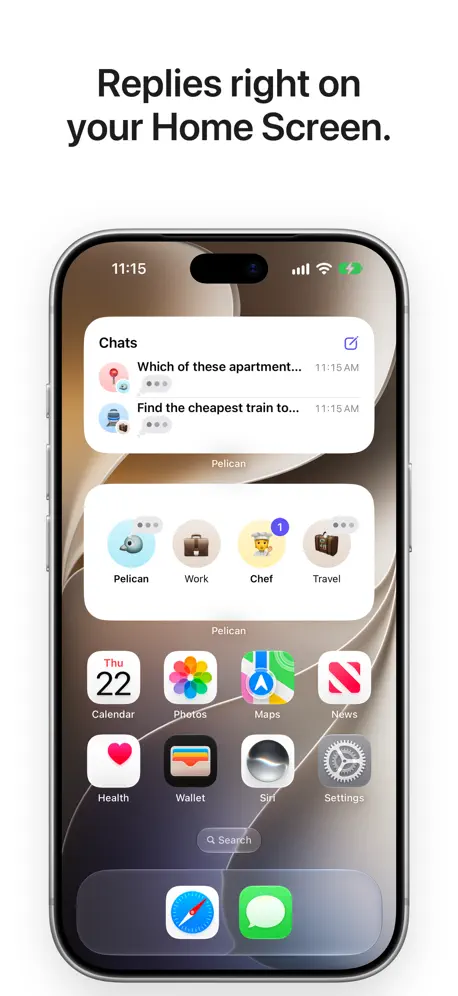
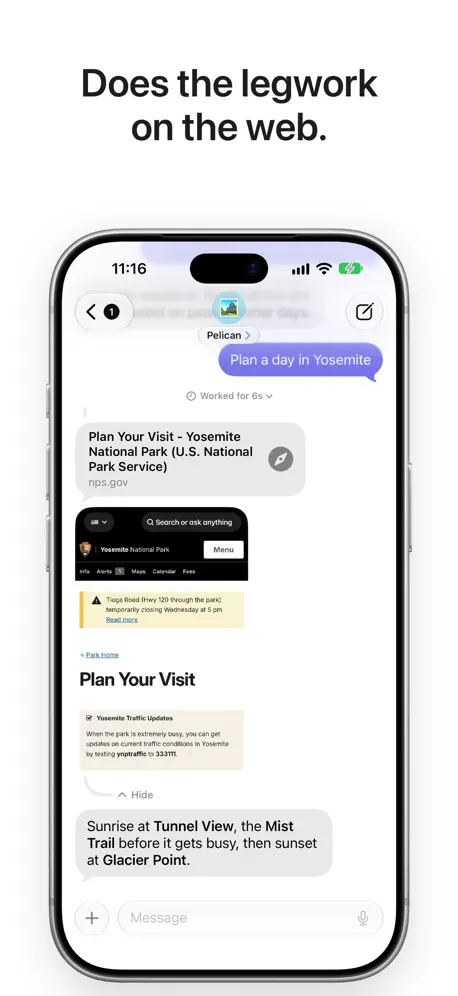
Pelican is an AI assistant that gets things done on your iPhone. Text Pelican the way you'd text a friend. Pelican plans your day, finds what matters in your email, finds any photo, turns off the lights, and does the legwork on the web. All your AI in one app Use Apple's model on Private Cloud Compute with no account, sign in to your favorite AI provider, or add a custom one. Pick a different model for any chat. A profile for every job Set up profiles for work, cooking, travel, or anything else, each with its own emoji, model, and tools, and let a Focus choose the profile for you. Pelican remembers what you tell it, like what you enjoy and what you're working on, and you can see or change anything it remembers. Routines Get a morning brief, a weekly plan, or word when something changes, at the times you choose. Your email Connect iCloud, Gmail, Yahoo, Fastmail, or any IMAP account. Ask what's important, and Pelican searches your inbox, reads the threads that matter, and writes replies for you to review and send. Pelican never sends email on its own. Private Photo Access Find any photo by what's in it, who's in it, or when and where you took it. Your photos are analyzed on your iPhone and never leave it. Your calendar, reminders, and home Ask what your afternoon looks like, and Pelican checks your calendar and finds a free hour. Ask Pelican to remind you to call the dentist, and the reminder appears in Reminders. Turn on the lights, set the thermostat, or run a scene with your HomeKit accessories. Alarms and timers Set an alarm or start a timer by asking. Timers count down on the Lock Screen and in the Dynamic Island, and alarms ring even in Silent mode. Texts and email drafts Pelican writes texts and emails in your voice, finds who they're for in your contacts, and opens them in Messages or Mail, ready for you to send. The web, Maps, and weather Pelican searches the web, reads websites, compares options, finds places in Apple Maps, works out travel times, and checks the forecast wherever you're headed. Files and photos Share a PDF, a photo, or a document, and ask Pelican to summarize it, explain it, or pull out what matters, even in long and scanned PDFs. Shortcuts, MCP servers, and SSH Run your shortcuts, connect the apps and services you use through MCP servers, and run commands on your own computers over SSH. Made for iPhone Replies arrive as notifications, and longer tasks keep going in the background with a Live Activity. Widgets show your profiles and latest chats. Share anything to Pelican, and start a chat from Siri, Shortcuts, or Control Center. On iPhone Duo, your chats appear beside the open chat. Pelican Pro Chatting, memory, the web, Maps, files, and the photos you share are free. Pelican Pro adds Calendar, Reminders, Contacts, Mail, Private Photo Access, Home, Alarms and Timers, Messages and Mail drafts, Shortcuts, Weather, MCP servers, SSH, Profiles, and more than one routine. It's a monthly or yearly subscription, and the yearly plan starts with a free week. Payment is charged to your Apple Account. It renews automatically unless you cancel at least 24 hours before the end of the current period, which you can do anytime in your Apple Account settings. Private by design Your conversations and memory stay on your iPhone. Your messages go straight to the AI provider you choose. Pelican has no ads and no account to create. Terms of Use: https://www.apple.com/legal/internet-services/itunes/dev/stdeula/ Privacy Policy: https://finnvoorhees.com/pelican/privacy
Release Notes
New in Pelican 1.1: • Profiles let you set up Pelican for work, cooking, travel, and more, each with its own emoji, model, and tools. (Pro) • Memory: Pelican remembers what you tell it, like what you enjoy and what you're working on, and uses it in later chats. See and change everything it remembers in Settings. • Routines send you a morning brief, a weekly plan, or word when something changes, at the times you choose. Your first routine is free, and Pro adds more. • Home turns on the lights, sets the thermostat, and runs scenes with your HomeKit accessories, and can show you a snapshot from your cameras. (Pro) • Mail finds what matters in your email and writes replies for you to send. (Pro) • Private Photo Access finds any photo by what's in it, or when and where you took it. Your photos never leave your iPhone. (Pro) • Pelican searches the web on your iPhone, shows you pictures it finds, and saves files you ask for to the chat's folder. • This update optimizes Pelican for iPhone Duo: open it to see your chats beside the open chat, or fold it partway like a book to put them on either side of the fold. • Widgets for your Home Screen and Lock Screen show your profiles and latest chats, with replies as they arrive. • Touch and hold anything in a chat to ask Siri about it, or drag it into another app. • Take a screenshot of a chat and choose Full Page to get its messages, photos, and files on one page. • Add a custom provider by entering its address, and Pelican finds its models for you. • In a Focus with a profile, only that profile's replies notify you. • The share sheet sends anything to a new chat or a recent one, with a preview of what you're sharing. • Take a photo from the + button and send it with your message. • Pelican reads long PDFs page by page, including scanned ones. • Siri can search and open your chats. • Pelican asks for each permission when you turn on the capability that needs it.
• v1.1All release notes
App Details
| Size | 48.1 MB |
|---|---|
| Initial release | |
| Price | |
| Platforms | iPhone and iPad |
| Languages | English, French, German, Japanese, Korean, Portuguese, and Spanish |
| Category | Productivity |
| Website | finnvoorhees.com/pelican |
| Compatibility | |
|---|---|
| iPhone | Requires iOS 27.0 or later. |
| iPad | Requires iPadOS 27.0 or later. |
| Apple Vision | Requires visionOS 27.0 or later. |
More By This Developer


Similar Apps





App's data is regularly updated.
Last update: