Screenshots


Description
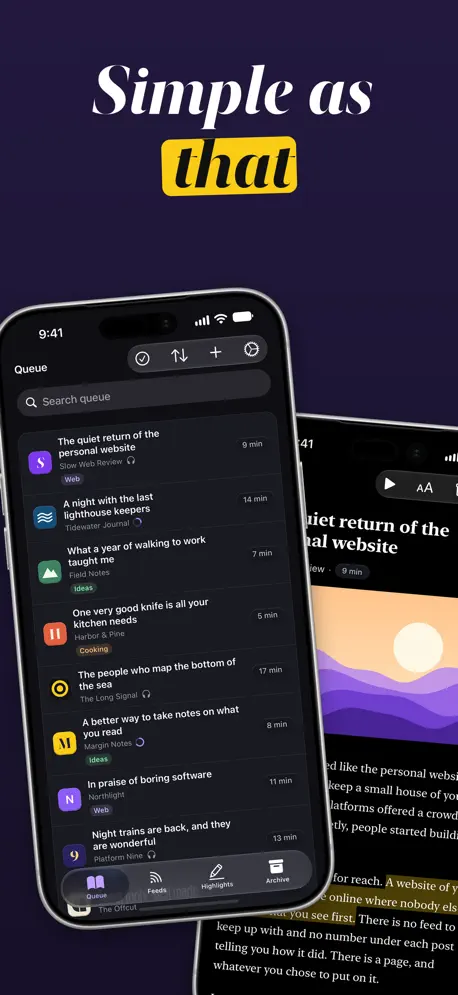
*Requires an active Quick Reads account.* Save articles. Read them later. Simple as that. A beautiful, distraction-free home for the articles that matter. Save from anywhere, highlight what resonates, and build your personal reading library. Beautiful reading experience Articles are stripped down to just the words and images. No ads, no pop-ups, no clutter. Choose from carefully tuned themes including Sepia, Cream, and Midnight, and read comfortably day or night. Highlight what matters Mark the passages worth remembering. All your highlights live in one place, easy to revisit later, and you can share a beautifully formatted highlight card to anywhere you'd like. Built natively for iOS Quick Reads is written in the latest Apple frameworks. That means it feels fast, looks at home on your device, and takes full advantage of features like the system share sheet, dark mode, Dynamic Type, and offline reading. Save articles from any app with the Share Extension, even when you're offline. Organize your way Tag articles to group them by topic, project, or mood. Archive what you've finished. Search across everything you've ever saved. Indie software, honest pricing Quick Reads is built by one person with exactly zero VC funding. No engagement metrics, no dark patterns, no selling your data. Just a focused tool made for people who want to read more of the good stuff on the internet.
Release Notes
App Details
| Size | 19 MB |
|---|---|
| Initial release | |
| Price | Free |
| Platforms | Mac, iPhone, and iPad |
| Languages | English |
| Category | News |
| Website | quickreads.app |
| Compatibility | |
|---|---|
| iPhone | Requires iOS 26.0 or later. |
| iPad | Requires iPadOS 26.0 or later. |
| Mac | Requires macOS 26.0 or later. |
More By This Developer

Similar Apps
App's data is regularly updated.
Last update: