Screenshots
Description
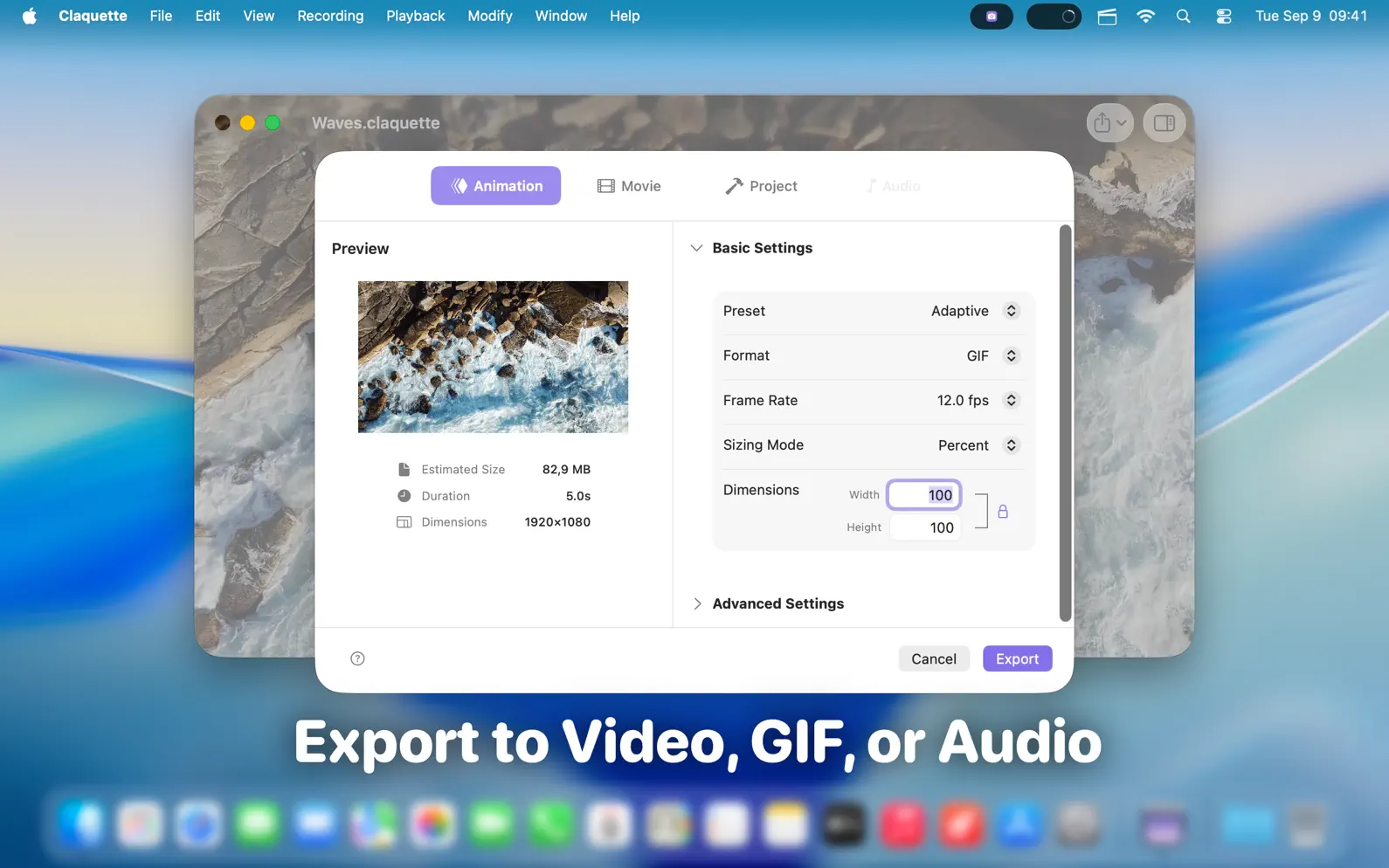
Claquette is a powerful, lightweight macOS app for screen recording, audio capture, video editing, and media conversion (GIF, video, audio, ...). Designed for creators, educators, developers, and content professionals, it delivers high performance in a clean, intuitive interface — now with a stunning Liquid Glass design. • Capture Every Device Independently Record your screen, microphone, system audio, and camera separately or together. Claquette keeps everything in perfect sync, letting you mix and match inputs for tutorials, demos, lectures, or quick feedback sessions. • New Audio-Only Support Export recordings as audio-only files with a single click — perfect for podcasts, voice memos, or any sound-first project. • Hassle-Free System Audio Recording No extra drivers or software required. Claquette captures system audio natively, seamlessly, and reliably. • Fast, Focused Editing Trim, crop, and resize your recordings effortlessly. Claquette provides precise adjustments without the complexity of a full editing suite. • Import, Convert, and Export Work with existing video, audio, or GIF files. Convert between H.264, HEVC, audio-only, or animated GIF formats with built-in presets — optimized for sharing or social media. • Fully macOS Native Claquette leverages macOS technologies like Quick Look, Spotlight, Metal rendering, App Intents, Shortcuts, and more, giving you a truly integrated and efficient workflow. • Your All-in-One Media Utility Whether producing polished content or quickly cropping, converting, or compressing media, Claquette is fast, reliable, and delightfully Mac-native — now with full audio capabilities and the sleek new Liquid Glass interface.
Release Notes
App Details
| Size | 7.4 MB |
|---|---|
| Initial release | |
| Price | |
| Platforms | Mac |
| Languages | English, French, German, Italian, Portuguese, Chinese, and Spanish |
| Category | Photo & Video |
| Website | peakstep.com/claquette |
| Compatibility | |
|---|---|
| Mac | Requires macOS 15.6 or later. |
More By This Developer
Similar Apps
App's data is regularly updated.
Last update: