Event
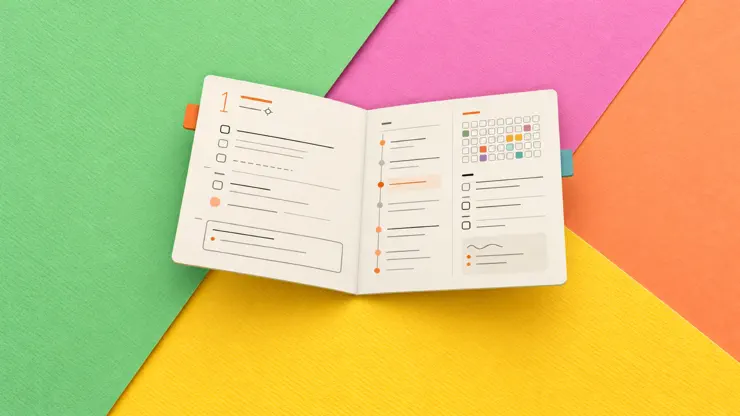
MAJOR UPDATE · Until Nov 12Unfold Better Day PlanningNew paper-inspired layouts, with hundreds of ways to personalize your daily planner, and new themes to make it shine.
Screenshots
Description
Inspired by paper planners, Finalist shows your calendar, tasks, notes, reminders and weather forecast in one beautiful timeline. It even pulls in your Journal Suggestions and Activity Rings to keep you inspired. Gorgeous themes make planning a joy, not a chore. Finalist is built for people who finish things, no complex workflows or productivity theater. NOTES, IN YOUR PLANNER Your planner remembers what you wrote. A dedicated Notes tab gives you notebooks, tags and search. Keep native notes that sync over iCloud, or connect a folder of plain markdown files, including your Obsidian vault, and edit them in place. Tasks inside your markdown files become real Finalist tasks: dated, tagged and checkable anywhere in the app. YOUR DAY, ON YOUR WRIST The Apple Watch app puts your whole day one glance away: events, tasks, reminders and habits in one scrollable view, topped by a Now card that always knows what matters next. Check off pinned lists from the wrist, grocery list included, and add tasks by keyboard, scribble or dictation. Complications and a Smart Stack widget round it out. (Requires watchOS 26.) DESIGN YOUR DAY Choose between two Daily designs: Daybook, the classic stacked layout, or Broadsheet, a newsprint-inspired look that shines on iPad and Mac. Rearrange sections with the layout editor and save your own presets. On the rebuilt Timeline, drag tasks onto the grid to sketch your day in pencil, then commit when it's real. "I've tried dozens of planning apps, this is the one that finally works." - Beta user "The integration of Reminders and Lists reduces the apps I need daily and makes planning actually fun." - Beta user Built with native Apple technologies: no accounts to create, syncs over iCloud, supports Family Sharing, and runs on iPhone, iPad, Apple Watch, Vision Pro and Mac. Full database backup, export and import via JSON and OPML. Finalist is a love letter to paper planners. Give it a try, it feels great :) Purchasing information To get the full functionality in Finalist you will need to either purchase a subscription or a one time In-App Purchase for Lifetime access. The purchase amount will be applied to your iTunes account. Subscriptions will automatically renew unless canceled within 24-hours before the end of the current period. You can cancel anytime with your iTunes account settings. Lifetime purchase is a one-time fee. For more information, see our Terms of Use at https://finalist.works/eula/ and our Privacy Policy at https://finalist.works/privacy-policy/
Release Notes
More iPhone Duo powerups: more layouts for more poses, no matter how you use the device. IPHONE DUO - The Planner remembers a layout per pose: closed or open, upright or sideways. Fold, unfold or rotate. PLANNER - New Yearly style, Months and Day: the months run along the top, and the day you tap opens below with its Timeline next to untimed tasks and all-day items. - iPhone and iPad keep a layout per orientation too. Defaults are Weekly Timeline on an upright iPhone, Weekly 2 pages sideways, and Months and Day on iPad. ADD TASKS ON THE TIMELINE - Touch and hold an empty hour to place a new task there, on the Weekly Timeline, the Timeline beside the Agenda and the Desk Clock's mini Timeline. - Or, use mouse or Pencil to draw task/event blocks. FIXES - iPad: improvements to Pencil handling. - Fixes to light and dark themes. - Lots of tweaks and performance improvements.
• v4.2.3All release notes
App Details
| Size | 120.5 MB |
|---|---|
| Initial release | |
| Price | |
| Platforms | Mac, Apple Watch, iPhone, Apple Vision, and iPad |
| Languages | English |
| Category | Productivity |
| Website | finalist.works |
| Compatibility | |
|---|---|
| iPhone | Requires iOS 18.0 or later. |
| iPad | Requires iPadOS 18.0 or later. |
| Mac | Requires macOS 15.0 or later. |
| Apple Vision | Requires visionOS 26.0 or later. |
| Apple Watch | Requires watchOS 26.0 or later. |
Similar Apps
TimeFinder: Daily Planner
Time Blocking, Hourly Schedule
Daylish - Visual Schedule
Appointment Reminder Alarm App
Finale To Do: Tasks & Habits
To-Do List, Planner, Reminder
Timeblocks Planner ADHD: Align
Daily Planner, To-Do & Habits
Solid Calendar
Natural Language Calendar
LockIn Daily - Track Time
Task, Goal & Life Tracker
App's data is regularly updated.
Last update: