Screenshots
Description
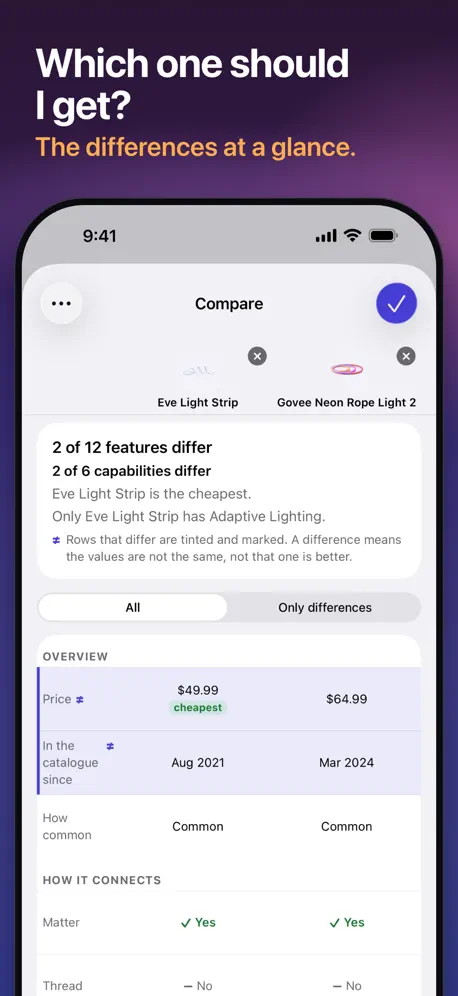
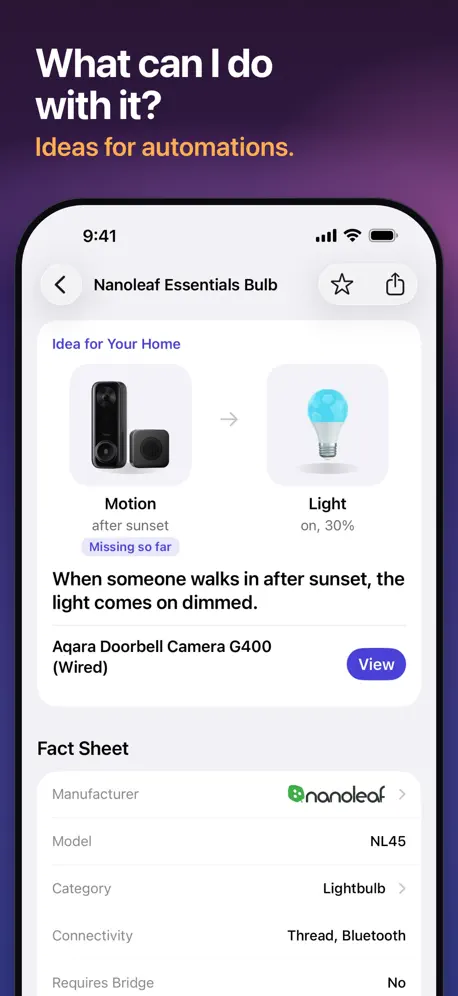
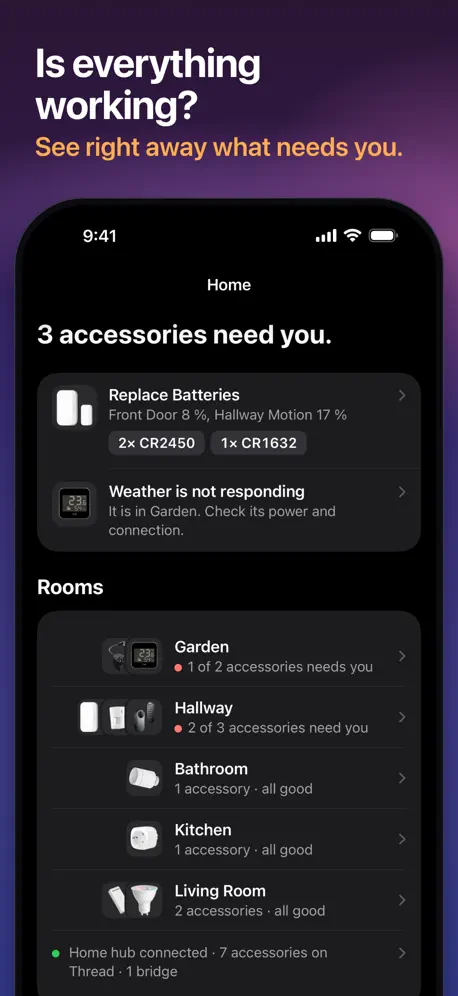
HomeDevices helps you find the right device for your HomeKit smart home before you buy it. WILL IT WORK IN YOUR HOME? Give HomeDevices access to your HomeKit data and every device page is checked against your home. If it fits, the page says so up front and tells you why: it joins your Thread network, or you already use that brand. If something is missing, such as the maker’s bridge, the page tells you that too. All of this is worked out on your iPhone or iPad. SEE HOW IT LOOKS IN HOMEKIT A preview shows the tile and the controls modeled on the Home app: the colors of a light, a thermostat, a lock, a sensor. It’s a replica with sample values, and nothing gets controlled. The same page lists what a device can trigger in an automation and what it can do. PRICES NEXT TO THE 90-DAY LOW When a shop has a price history, the lowest price of the last 90 days sits next to the price, so you can tell whether today is a good day to buy. If it isn’t, set a price alert, for example at the 90-day low, and HomeDevices lets you know when the price drops below it. COMPARE Put up to four devices side by side. HomeDevices highlights the rows where they differ: Matter, Thread, bridge, power source and what they can do in HomeKit. THE CATALOG Lights, plugs, sensors, thermostats, locks, cameras and much more. Filter by Matter, Thread, bridge, power source and region. “Fits you” shows what works in your home, “New” shows what just arrived. IDEAS FOR YOUR HOME For many devices, HomeDevices suggests an automation. For example: when someone walks in after sunset, the light comes on dimmed. YOUR HOME AT A GLANCE Which batteries are almost empty, which devices aren’t responding, whether your home hub is connected: the Home tab shows it all at a glance. HomeDevices can add the batteries you need to Reminders. For many of your Matter devices, you also see functions that the Home app doesn’t show. UNDERSTAND THE TECH Matter, Thread and Adaptive Lighting explained in plain language. Plus topic pages, help with common HomeKit problems and news from blogs and video channels. WIDGETS For your Home Screen: what needs your attention at home, the batteries to buy, the cheapest item on your watchlist and the newest arrival in the catalog. PRIVACY Your home is analyzed on your device. HomeDevices anonymously reports which models you have. This is on at first and you can turn it off at any time in Settings. Names, rooms and readings are never reported. HomeDevices is an independent app and is not affiliated with Apple. Apple and HomeKit are trademarks of Apple Inc.
Release Notes
App Details
| Size | 39.2 MB |
|---|---|
| Initial release | |
| Price | Free |
| Platforms | iPhone and iPad |
| Languages | English and German |
| Category | Lifestyle |
| Website | homedevices.app |
| Compatibility | |
|---|---|
| iPhone | Requires iOS 26.0 or later. |
| iPad | Requires iPadOS 26.0 or later. |
| Apple Vision | Requires visionOS 26.0 or later. |
More By This Developer
Similar Apps
App's data is regularly updated.
Last update: