Charty for Shortcuts
Data, Graphs, Widgets & Charts
Rapptor Desenvolvimento de Softwares LTDA
Screenshots






Description
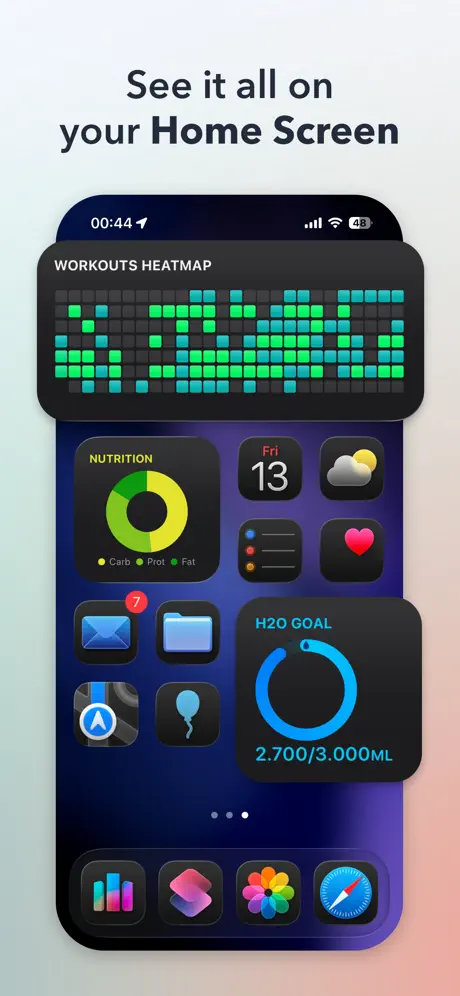
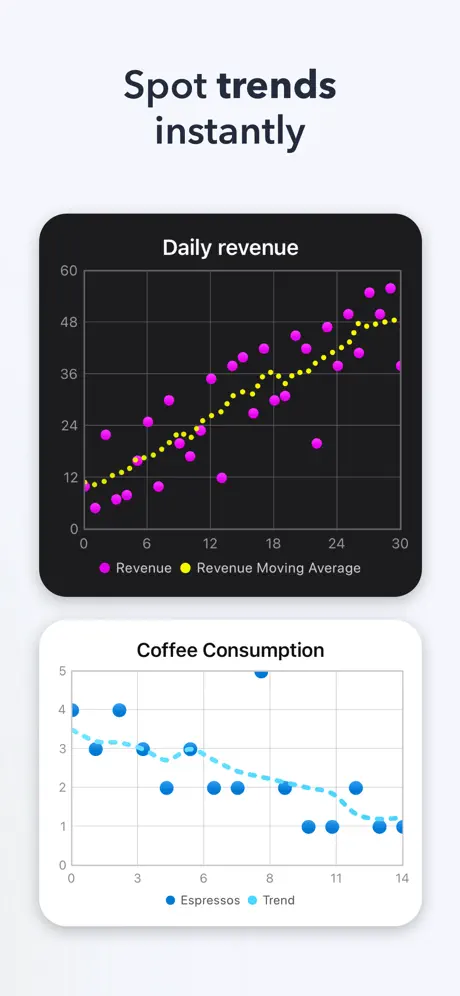
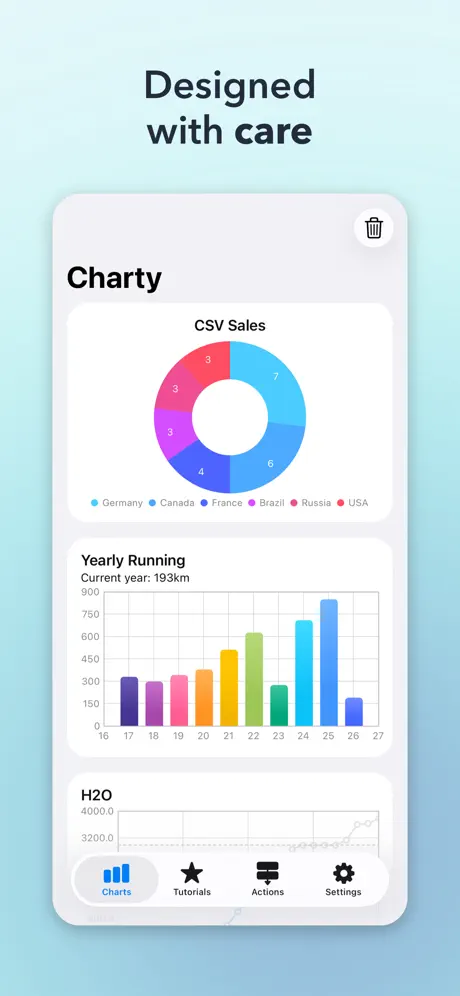
Charty is the ultimate charting companion for Shortcuts. Whether you're tracking workouts, visualizing health data, monitoring budgets, or building dashboards from any app on your iPhone or iPad. Charty makes it effortless to go from raw numbers to beautiful, shareable charts. CREATE CHARTS YOUR WAY Build bar charts, line graphs, scatter plots, area charts, pie charts, donut charts, and ring charts, all from Shortcuts automations you already use. Combine multiple data series, customize every detail, and see your data come to life. STUNNING WIDGETS ON YOUR HOME SCREEN Display your charts as widgets that update automatically. Track your goals, habits, fitness progress, or anything else, right from your Home Screen. POWERFUL DATA TOOLS Go beyond simple plotting. Group, filter, and accumulate values. Add moving averages and trend lines. Import data from CSV files. Export charts as high-resolution images to share or save. STYLE EVERYTHING Fine-tune colors, markers, axis labels, date formats, floating-point precision, and more. Apply custom themes to keep your charts consistent and polished. Stack bars, customize line thickness, and highlight the data that matters most. LEARN AS YOU GO Access 16 built-in tutorials that walk you through creating your own Shortcuts, from simple charts to advanced data workflows. No coding required. FREE TO START Create unlimited charts with up to 2 series per chart, completely free. Unlock Charty Premium to access all 25 Shortcuts actions, unlimited series, full styling controls, area charts, CSV import, image export, widgets, and more. Terms of Use (EULA): https://www.apple.com/legal/internet-services/itunes/dev/stdeula/
Release Notes
Charty 2.1.1 makes running shortcuts steadier and chart analysis more useful. • Steadier shortcuts: fixes a crash when a shortcut replaced a chart you had open in the editor, and keeps Charty working in the background while it saves and syncs, a common cause of crashes. • Better chart analysis: Charty now works out what changed before asking Apple Intelligence to explain it, so you get insights instead of your chart read back to you. Ring charts are read as progress towards a goal. • Whole bars on date axes: the first and last bars are no longer cut in half. • Dates in any language: when Shortcuts runs in a different language from your iPhone, its dates now chart as dates instead of labels. • Moving average centering: Add Moving Average now lets you choose Center, Left or Right. • Smaller fixes: the analysis only shows a total where a sum makes sense, and Analyze Chart tells you when your device can't run it before asking you to subscribe.
• v2.1.1All release notes
App Details
| Size | 69.1 MB |
|---|---|
| Initial release | |
| Price | |
| Platforms | iPhone and iPad |
| Languages | English and Portuguese |
| Category | Productivity |
| Website | chartyios.app |
| Compatibility | |
|---|---|
| iPhone | Requires iOS 18.0 or later. |
| iPad | Requires iPadOS 18.0 or later. |
| Mac | Requires macOS 15.0 or later and a Mac with Apple M1 chip or later. |
| Apple Vision | Requires visionOS 2.0 or later. |
More By This Developer
Similar Apps
App's data is regularly updated.
Last update: